


Executive Summary: Executive summary: Cobalt Intelligence has released Business Monitoring, which re-checks a business's Secretary of State record on a schedule you set and sends every result to your webhook with a description of what changed. Each completed check costs one credit on your existing plan. You verified the business. You have no idea whether it is still verified. The Secretary of State record you pulled at underwriting was accurate the moment it was returned. Every day since, it has been an assumption. The entity was Active on the Tuesday you funded it. Whether it is Active today, whether the registered agent is still the same person, whether the address still matches the one on the application, none of that is in your file. It is in the state's database, and nobody has looked. Continuous verification used to require a scheduler, a connection to every state you lend in, and someone to keep the whole thing working when a state changed its search form. That is why most lending operations do not do it. The cost was never the data. The cost was the engineering. Business Monitoring is now live in the Cobalt dashboard and through the API, and it costs one credit per completed check.
Why does business verification go stale after underwriting?
Verification is treated as a gate. The application arrives, someone confirms the entity exists and is in good standing, the file gets a timestamp, and the deal moves forward. The gate closes behind it.
The problem is that a business is not a static record. Entities get administratively dissolved for missed annual reports. Registered agents get swapped. Businesses change names, move addresses, and update the officers on file. Some of those changes are routine housekeeping. Some of them are the first visible sign that something has gone wrong, or that someone is deliberately obscuring who controls the company.
For a short-term product this matters less. For a twelve month advance, a renewal decision, or an ongoing credit relationship, the verification that justified the original decision can be a year old and nobody in the shop knows it. We have written before about why risk-based monitoring belongs in an alternative lender's process. The gap until now was that acting on that idea meant building the monitoring yourself.
The manual alternative is what most teams have settled for: someone re-runs the same search on the same state site, then compares the result by eye against a PDF in the file. It works, in the sense that it produces an answer. It does not scale, it is inconsistent between reviewers, and in practice it happens only when something else has already gone wrong.
What is Business Monitoring and how does it work?
Business Monitoring lets you enroll a business and have Cobalt re-check its Secretary of State record on a recurring schedule.
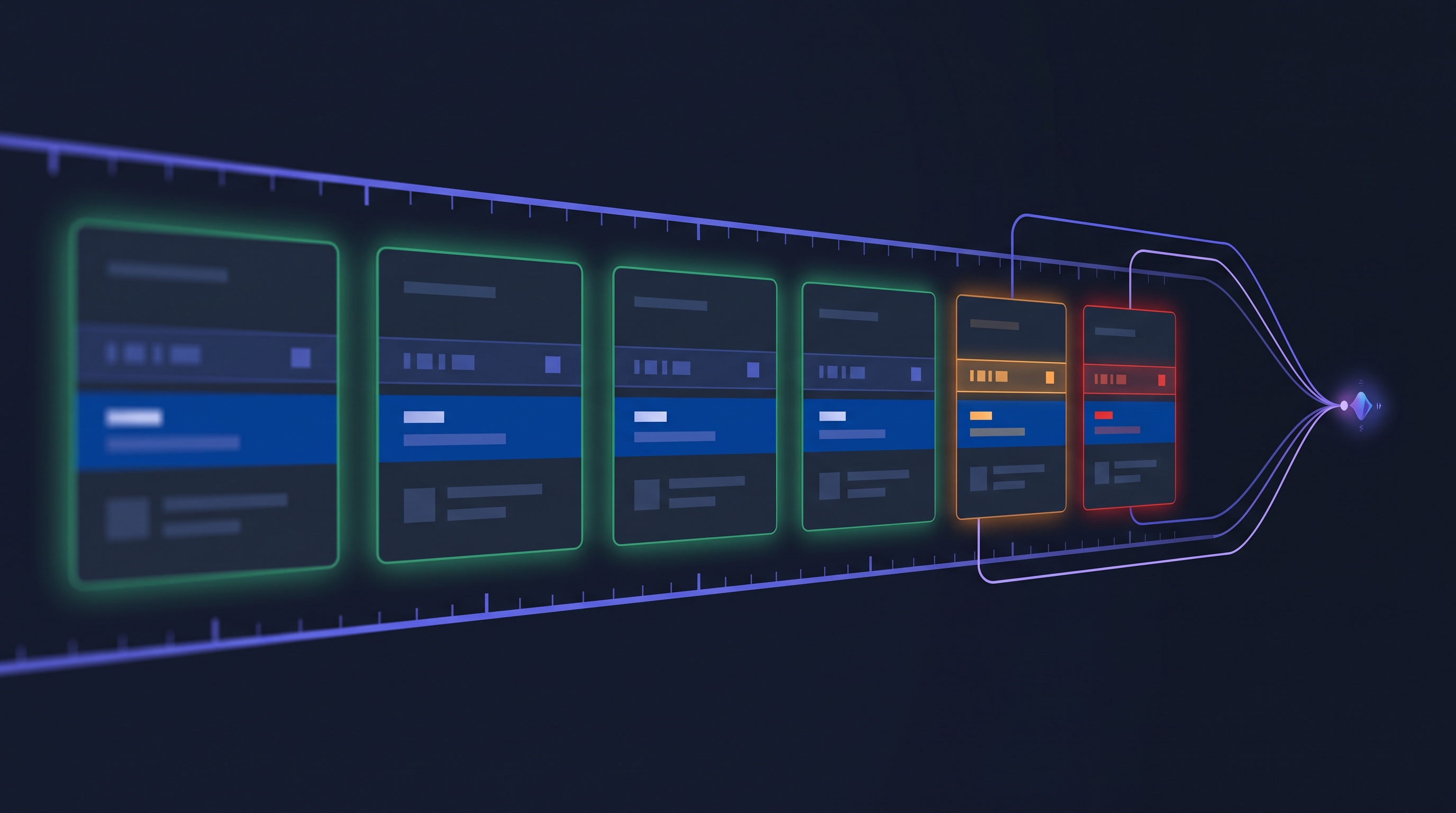
You enroll a business either by name and state or by its SOS ID. You choose how many days should pass between checks. Cobalt runs an initial search to establish a baseline, then re-checks on your schedule, compares each new result against the previous one, and sends the full current record to your webhook along with the details of anything that changed.
The sequence for every enrolled business is:
• An initial Secretary of State search that establishes the baseline. Because it is the baseline, this first check reports no changes.
• A re-check on your selected cadence.
• A comparison of the new result against the previous record.
• Identification of fields that were added, modified, or removed.
• A severity level assigned to each detected change.
• Delivery of the full current record and the change details to your webhook.
Monitoring continues until you remove the business or until an optional end date you set at enrollment. If you leave the end date blank, it runs until you stop it.
Each result tells you whether the check was the baseline, when it ran, whether the business was found, whether changes were detected, a summary of those changes, the specific fields that changed, the previous and new values for each, and the severity of each change.
Everything above is available through the API and through the Cobalt dashboard, so a risk or operations team can enroll and manage monitored businesses without opening a ticket with engineering.
Coverage is nationwide from day one. Monitoring runs on the same Secretary of State search API Cobalt already operates in all 50 states, so any business you can look up today can be enrolled for monitoring. There is no separate per-state integration and no waiting for states to be added, because the search layer underneath is the one that already exists.
What changes can Business Monitoring detect?
Monitoring compares the full record, so a change to any tracked field is surfaced. Cobalt tracks 44 fields across seven categories, and each field carries a fixed severity so your rules can route on it. Jacob Terrell, who built the feature, provided the complete mapping:
| Category | Critical | Major | Minor |
|---|---|---|---|
| Business status | Active or inactive status | Raw status value, status reason, inactive date | |
| Registered agent | Agent name, agent resignation | Resignation date; agent street, city, and state; service of process agent name, street, city, and state | Agent zip, commercial agent flag, service of process zip |
| Business identity | Filing date | Business name, state of formation, entity type | Entity subtype, industry, registrant name |
| Addresses | Street, city, and state for the physical, mailing, and in-state addresses | Zip codes | |
| Compliance | Next report due date, annual report standing, good standing, tax amount due | ||
| Identifiers | EIN | Taxpayer number | |
| Contact | Phone number, email address |
Only four changes rate Critical, and the short list is instructive. A move between active and inactive status is the obvious one. The other three are the registered agent's name changing, the agent resigning, and the filing date changing. An agent resignation is often the first visible domino: an entity without an agent for service of process starts the administrative dissolution clock in many states, and it means legal notices to that borrower may not be landing anywhere. A changed filing date suggests the record you are now looking at may not be the registration you underwrote. Everything routine, zip codes, phone numbers, a suite number on a mailing address, sits at Minor where it belongs.
That severity classification is the part worth pausing on, because it is the difference between an alert stream and a usable signal. A daily feed of complete records is not useful if someone has to diff it by hand, which is the same problem the manual process had. Ranking the change means a status move can be routed to a person while a corrected suite number can be logged and left alone.
What the severity level does not do is make the credit decision. Cobalt tells you what changed and how significant the change is at the record level. Your rules decide what it means for that borrower, that product, and that stage of the relationship. A name change on a healthy account in month two is a different conversation than the same change on an account that has already missed a payment.
How often should a lender re-check a business?
The cadence is a number of days that you choose per business, and Jacob confirms the supported range is one to thirty days.
That flexibility exists because monitoring frequency is a portfolio decision, not a product default. Checking every account daily is rarely the right answer, and at one credit per check it is not the cheapest one either. The useful pattern is to match cadence to exposure:
• Frequent checks on accounts that are already showing stress, in collections, or under review.
• Monthly checks across an active book, which is enough to catch a status change well before a payment cycle ends.
• Quarterly checks for lower-risk or seasoned relationships.
• Monitoring for a defined window, using the optional end date, when you only need coverage through a particular period.
• Monitoring for the life of a loan or customer relationship, with no end date.
Because you set cadence per business rather than per account globally, you can run a tiered program without operating separate systems for each tier.
Cobalt is a primary source. The data comes from the state, in real time, not from a database that was refreshed at some point in the past. Book a demo to see monitoring running against your own portfolio.
What happens when a business is not found?
This is the behavior most likely to be useful in ways that are not obvious at first.
A business does not need to be found on the first check for monitoring to continue. If the entity is not yet on the state registry, Cobalt keeps checking it on your schedule. If it later appears, that appearance is reported as a change.
The reverse also holds. If a business that was previously found stops being returned by the state, that is surfaced too.
Both directions matter. Watching for an entity to appear is useful when an applicant claims a formation that has not posted yet, and it is useful as a fraud pattern when someone is banking on the gap between a claimed business and a registered one. Watching for an entity to stop being returned catches the case where a company that was verifiable at funding no longer is.
Entity records are also only one of the signals worth watching. Liens and litigation move independently of the Secretary of State record, which is why UCC filing data and cross-referencing court records against SOS officer data remain separate checks rather than something entity monitoring replaces.
How much does continuous verification cost?
One credit per completed check, using the same credit pricing as your current plan.
That is the entire pricing model. There is no separate monitoring subscription, no new contract, and no procurement cycle to start using it. If you already buy Cobalt lookups, you can enroll a business this afternoon.
The phrase "your current plan" is doing real work in that sentence, and it matters most at portfolio scale. Cobalt credits are priced in volume tiers, so the per check cost falls as monthly volume rises, and it drops substantially between the entry tier and the volumes a mid-sized book generates. A monitoring check is not priced separately from a one-off lookup. It draws on the same credit at the same tiered rate you already pay.
The practical effect is that adding monitoring across a book increases your monthly volume, and increased volume moves you toward better per check pricing rather than away from it. If you are modeling a monthly sweep across several thousand active accounts, do not model it at the entry rate. Ask for the tier your combined lookup and monitoring volume would actually land in, because that is the number the program should be judged on.
It is worth stating what this replaces. The build-it-yourself version of this feature is a scheduler, connections to every state you operate in, a diffing layer that knows which fields matter, a delivery mechanism, and ongoing maintenance for all of it as state websites change. That project competes with everything else on an engineering roadmap, which is usually why it never ships.
What does Business Monitoring not do?
Worth being direct about the limits, because they shape how you build around it.
It does not make a credit decision. Cobalt reports that a field changed, what it changed from and to, and how significant that change is at the record level. It does not know your risk appetite, the borrower's payment history, or where that account sits in your book. Nothing in a monitoring result tells you to decline a renewal.
It does not score the business. Severity ranks the change, not the company. A Critical change on a strong account and a Critical change on an account already in collections arrive looking the same. The difference is context you hold and Cobalt does not.
It is not real time in the sense of instant notification. The states do not push updates, so the freshness of what you know is a function of how often you check. A seven day cadence means you can be up to seven days behind a filing. That is a tradeoff you control by setting the cadence, and it is why the schedule is per business rather than one global setting.
It does not currently include screenshots. A monitoring check returns the structured record and the change details, not a screenshot of the state's page. If your audit process requires the state record image in the file, capture it with a standard Secretary of State search once monitoring flags the change.
It also does not replace the other checks. Entity records move independently of liens, judgments, and licensing.
How do lenders put monitoring into a workflow?
The delivery method shapes the workflow. Because results are pushed to a webhook rather than polled, monitoring fits into systems that already react to events instead of requiring a new screen for someone to check.
The common patterns are:
• Ongoing risk management. Detect when a business becomes inactive or changes information that the original decision depended on.
• Portfolio monitoring. Keep checking businesses after onboarding, approval, or funding, rather than stopping at the decision.
• Compliance workflows. Identify changes that warrant additional review, with a record of what changed and when.
• Fraud detection. Surface unexpected changes to agents, addresses, names, or status.
• Operational efficiency. Remove the manual work of scheduling, running, and comparing repeated searches.
Management is deliberately simple. You can add a business, see everything currently monitored, see the last completed check and the next scheduled one, review how many checks have run, and stop monitoring at any time, all from either the dashboard or the API.
Getting started
Business Monitoring is available now.
Set it up from the Cobalt dashboard, or read the API reference in the Cobalt Intelligence API documentation.
The next question, once monitoring is running, is which of these changes should actually stop a deal and which should simply be logged. That is a longer conversation, and it is the one worth having with your own portfolio in front of you. Book a demo and we will walk through it.





.jpg)


.png)